
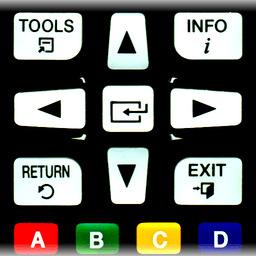
Screenshots
About Remote for Samsung TV | Smart & WiFi Direct
Control your Samsung Smart TV remotely using your phone or tablet with Remote for Samsung TV | Smart & WiFi Direct. This app transforms your Android device into a wireless remote, letting you manage your TV from anywhere on your home network without needing the physical remote.
Compatibility spans a wide range of Samsung TV models. Whether you own a C-Series TV from 2010 with Internet TV features, D-Series or E/S/H-Series models from 2011–2012 with AllShare Smart TV, F-Series from 2013, or newer K-Series Tizen models from 2016 onwards with MultiScreen Smart TV control, this app delivers seamless connectivity. Each model requires specific setup steps—typically enabling Remote Control in your TV's Menu or System Settings, or configuring your phone as an allowed device in AllShare or Mobile Device Manager settings.
The setup process is straightforward. When you connect for the first time, your TV will display a confirmation message asking you to accept the device. Simply confirm on your TV screen, and you're ready to control. If you initially declined, you can always change your selection later by navigating to your TV's Network or Expert Settings menu. The app remembers your preferences once authorized.
One critical requirement: your phone or tablet and Samsung TV must be connected to the same local network—whether via WiFi or LAN. This local network connection ensures reliable, lag-free control and is essential for the app to function. As long as both devices share the network, you gain the convenience of controlling your TV from the couch, bedroom, or anywhere else in your home without hunting for the remote.
Remote for Samsung TV | Smart & WiFi Direct works exclusively over your home network, giving you direct control without cloud dependencies. The app is independently developed and is not affiliated with or endorsed by Samsung. If you encounter compatibility issues with your specific TV model or phone, support is available via direct contact with the developer.
Pros & Cons
Pros
- Works with a wide range of Samsung TV models from 2010 onwards
- Simple setup process with on-screen TV confirmation for authorization
- No cloud dependency—control works reliably over local network only
- App remembers your preferences after initial pairing
Cons
- Requires phone and TV to be on the same local WiFi network
- Setup varies by TV model and may require navigating TV menus
- No affiliation with Samsung means limited official support or updates
- Older Samsung TV models may have compatibility issues or require specific settings
Related Apps

AlienGUIse
Desktop themes and manager for Windows — transform your system with 5 futuristic designs.

SharpKeys
Remap keyboard keys to launch apps, media controls, and custom commands on Windows.

RocketDock
Desktop launcher for Windows — quick access dock with customizable icons and positioning.

Custom Resolution Utility (CRU)
Display resolution utility: Create custom resolutions for your monitor with precise refresh rate control.

Lagguy Wallpapers
Lagguy
4K & HD wallpapers for Android — minimal, abstract, nature, AMOLED designs with lifetime access

Lock Screen OS
Apps Genz
Customize your lock screen with widgets, photos, and notifications. Replace Android's default lock screen.
Latest Articles

Play a free Color Ball Sort Puzzle-style game in your browser (no download)
Oct 6, 2026

Play a free Beach Buggy Racing-style kart racer in your browser (no download)
Oct 6, 2026

Play a free Alto's Adventure-style game in your browser (no download)
Oct 6, 2026

Free online whiteboard like Jamboard: use Quickboard in your browser, no signup
Oct 6, 2026

Free online running pace calculator: splits, race predictor and daily challenge, no download
Oct 6, 2026